OnlyPrompts Review : Boost Productivity with 150,000 AI Prompts!

As a content creator and productivity enthusiast, I’m always on the lookout for tools that can help streamline my workflow and save precious time. That’s why I’m excited to share this OnlyPrompts review, a detailed look at a powerful AI prompt generator that’s currently available on AppSumo with a lifetime deal. OnlyPrompts offers access to a massive library of over 150,000 AI prompts designed to help you get more done, whether you’re running a business, creating content, or managing personal projects.
In this review, I’ll walk you through the features, pricing plans, and practical applications of OnlyPrompts, especially for YouTube creators like myself. I’ll also explain the credit system, how it supports multiple AI models including ChatGPT, Gemini, Claude, and DALL·E, and why this tool might be the productivity game-changer you’ve been searching for in 2025 and beyond.
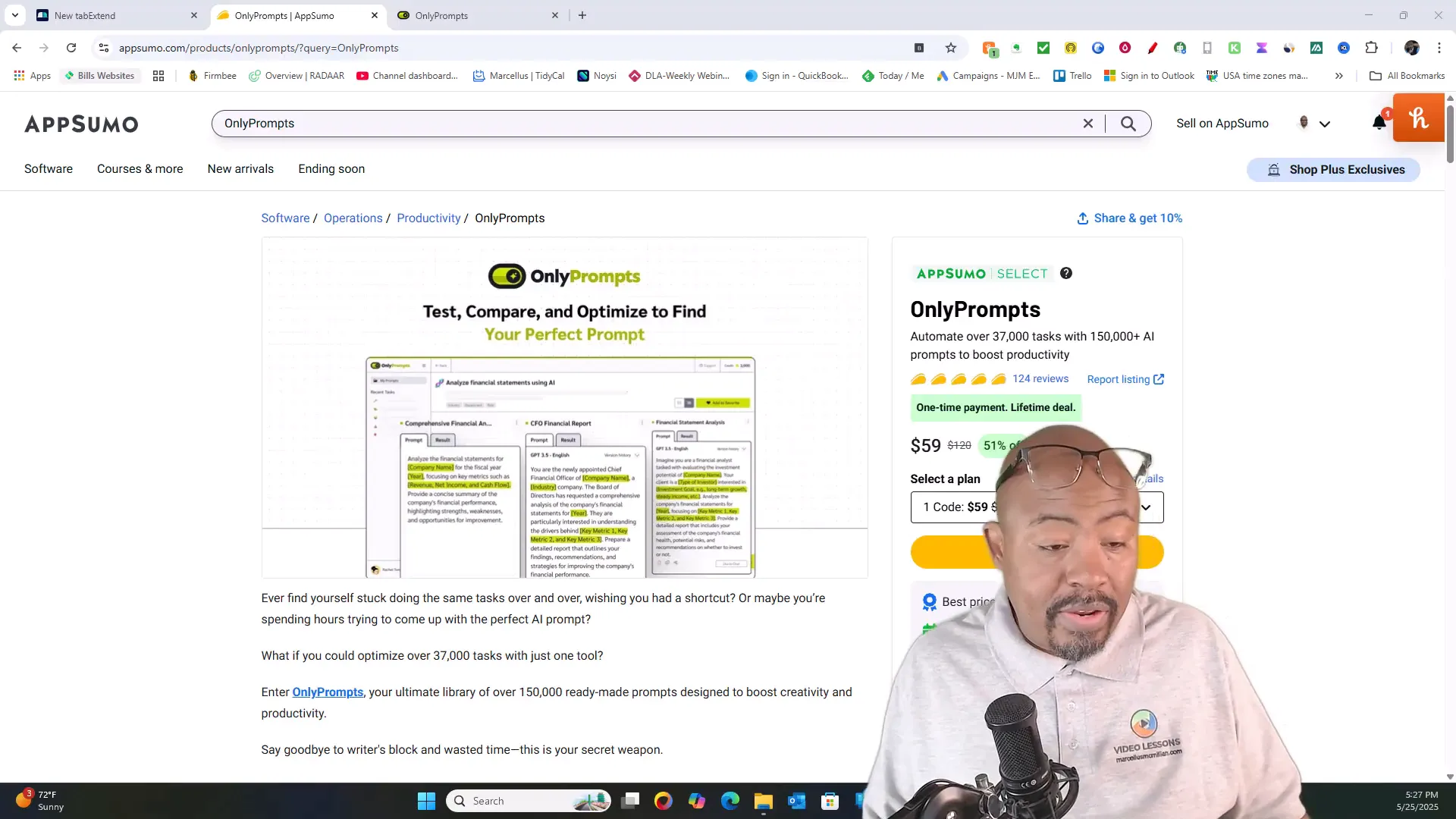
Table of Contents
- What is OnlyPrompts? An Overview
- OnlyPrompts Popularity and Market Position
- OnlyPrompts Pricing & Plans
- Understanding OnlyPrompts Credit System
- OnlyPrompts Software Walkthrough
- OnlyPrompts for YouTube Creators: Boost Your Workflow
- Learning Curve and Best Practices for OnlyPrompts
- OnlyPrompts Account Management and Upgrades
- Who Should Use OnlyPrompts?
- Pros and Cons of OnlyPrompts
- Final Verdict: Is OnlyPrompts Worth It?
- Frequently Asked Questions (FAQ) About OnlyPrompts
- Related Resources from Video Geek Squad
What is OnlyPrompts? An Overview
OnlyPrompts is an AI prompt generation platform that aims to simplify the process of crafting effective AI prompts for various needs. Instead of spending time figuring out how to phrase your requests to AI models, you can leverage their ready-made prompts library, which currently boasts over 150,000 prompts and continues to grow.
This tool is designed to serve a wide range of industries and use cases, from marketing and operations to creative content production. Whether you’re a business owner, marketer, or content creator, OnlyPrompts provides a centralized hub where you can find and customize prompts to accelerate your workflow.
One of the standout reasons I chose to explore OnlyPrompts is its support for multiple AI models, unlike many tools that limit you to just ChatGPT-4. With OnlyPrompts, you can experiment with Gemini, Claude, and DALL·E models, among others, giving you versatility and access to different AI capabilities.
OnlyPrompts Popularity and Market Position
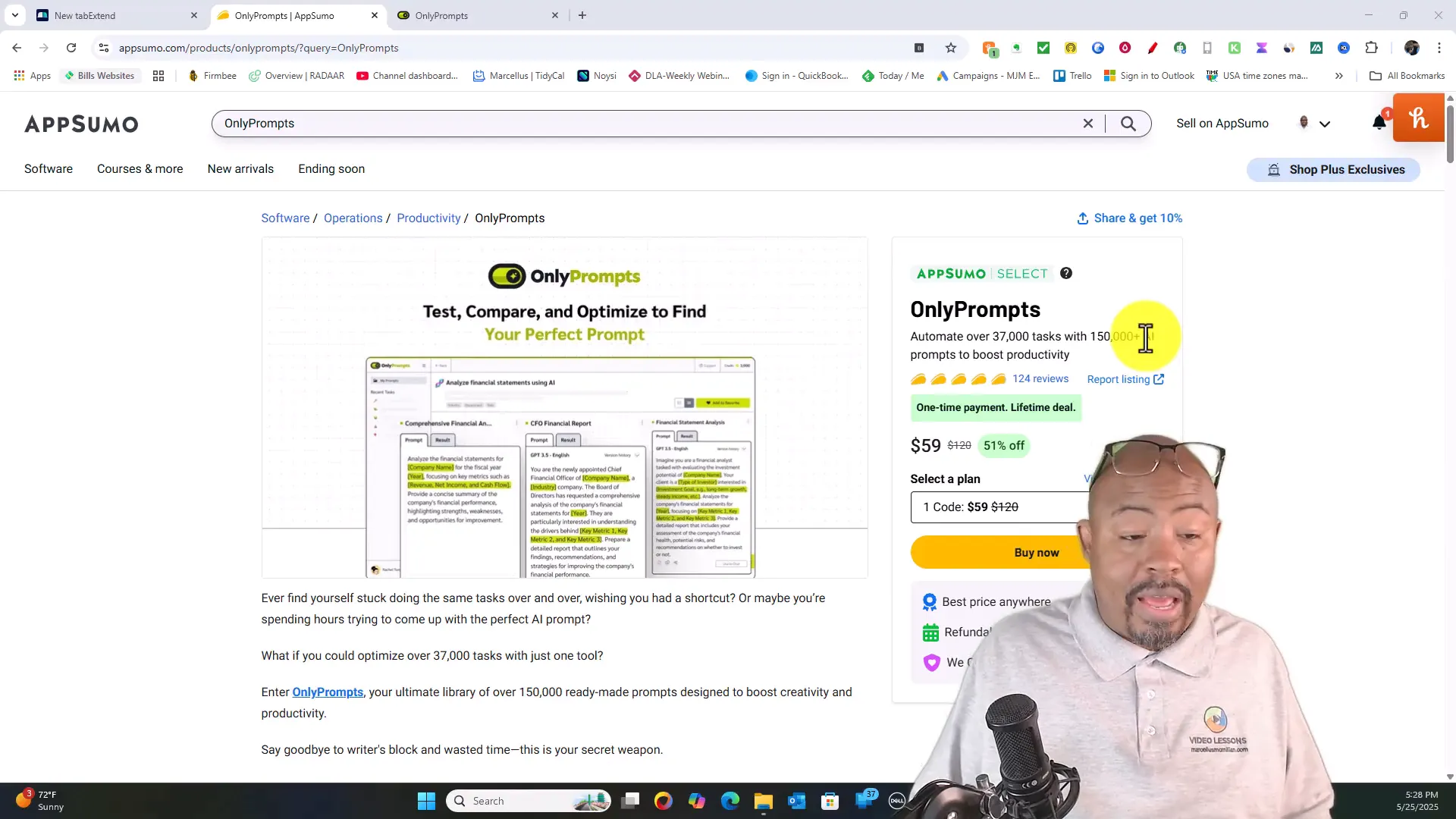
Currently, OnlyPrompts is gaining significant traction with around 2.4 million monthly visits to its website. The average visitor spends nearly five minutes exploring the platform, which tells me users are genuinely interested in improving their AI prompting skills.
With over 124 reviews on AppSumo averaging around five tacos (the platform’s rating system), this tool has proven itself to be quite popular among early adopters. AppSumo’s investment in this tool as part of their Select program also suggests a strong belief in OnlyPrompts’ potential to thrive in the AI productivity space.
OnlyPrompts Pricing & Plans
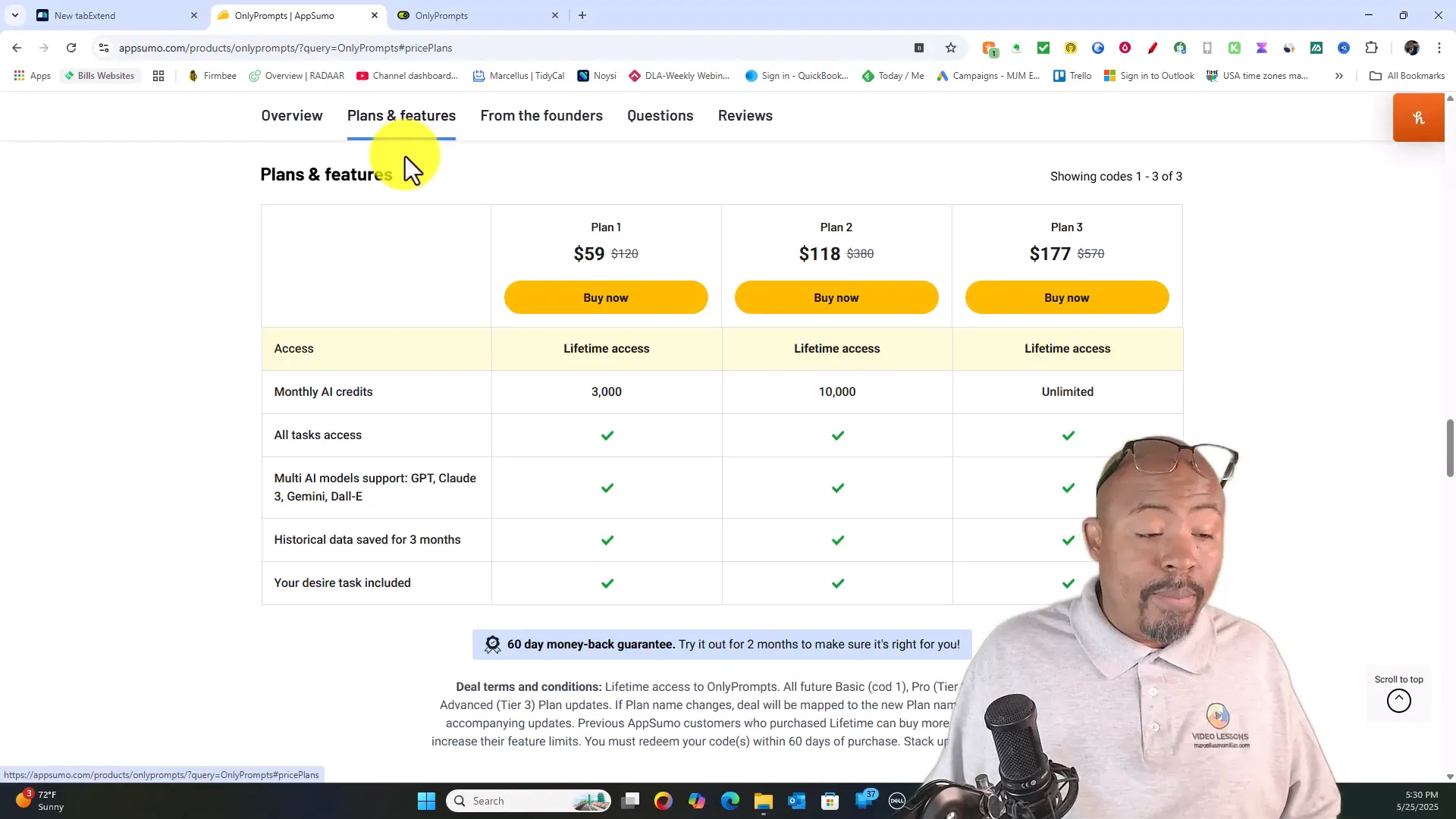
OnlyPrompts offers three main pricing tiers, all of which come with lifetime access — a fantastic deal for anyone serious about AI productivity:
- Plan 1 – $59: Includes 3,000 monthly AI credits, access to all tasks, multi-AI model support (ChatGPT, Claude 3, Gemini, DALL·E), and historical data saved for three months.
- Plan 2 – $118: Includes 10,000 monthly AI credits and all features from Plan 1.
- Plan 3 – $177: Unlimited credits with full access to all AI models and features, ideal for heavy users.
There is also a 60-day money-back guarantee, making it a low-risk investment to try out the tool and see if it fits your needs.
Understanding OnlyPrompts Credit System
One of the key aspects of OnlyPrompts is its credit system, which determines how many AI credits you spend per prompt based on the AI model and the complexity of the task.
Here’s a quick breakdown of how credits are used across different models:
- ChatGPT 4.1 Mini: 3 credits (used for simple tasks)
- ChatGPT 4.1: 15 credits (used for more complex tasks)
- Claude Basic: 1 credit
- Claude 3.5: 3 credits
- Claude 3 Sonnet: 10 credits
- Gemini Basic: 1 credit
- Gemini 1.4: 10 credits
- DALL·E 3: 30 credits (used for image generation)
The credit cost depends on the quality and complexity of the output you want. For example, generating images with DALL·E costs significantly more credits than a simple text prompt with Claude Basic.
If you opt for the unlimited plan, the credit system effectively becomes irrelevant since you have unrestricted access to use any model as much as you want.
OnlyPrompts Software Walkthrough
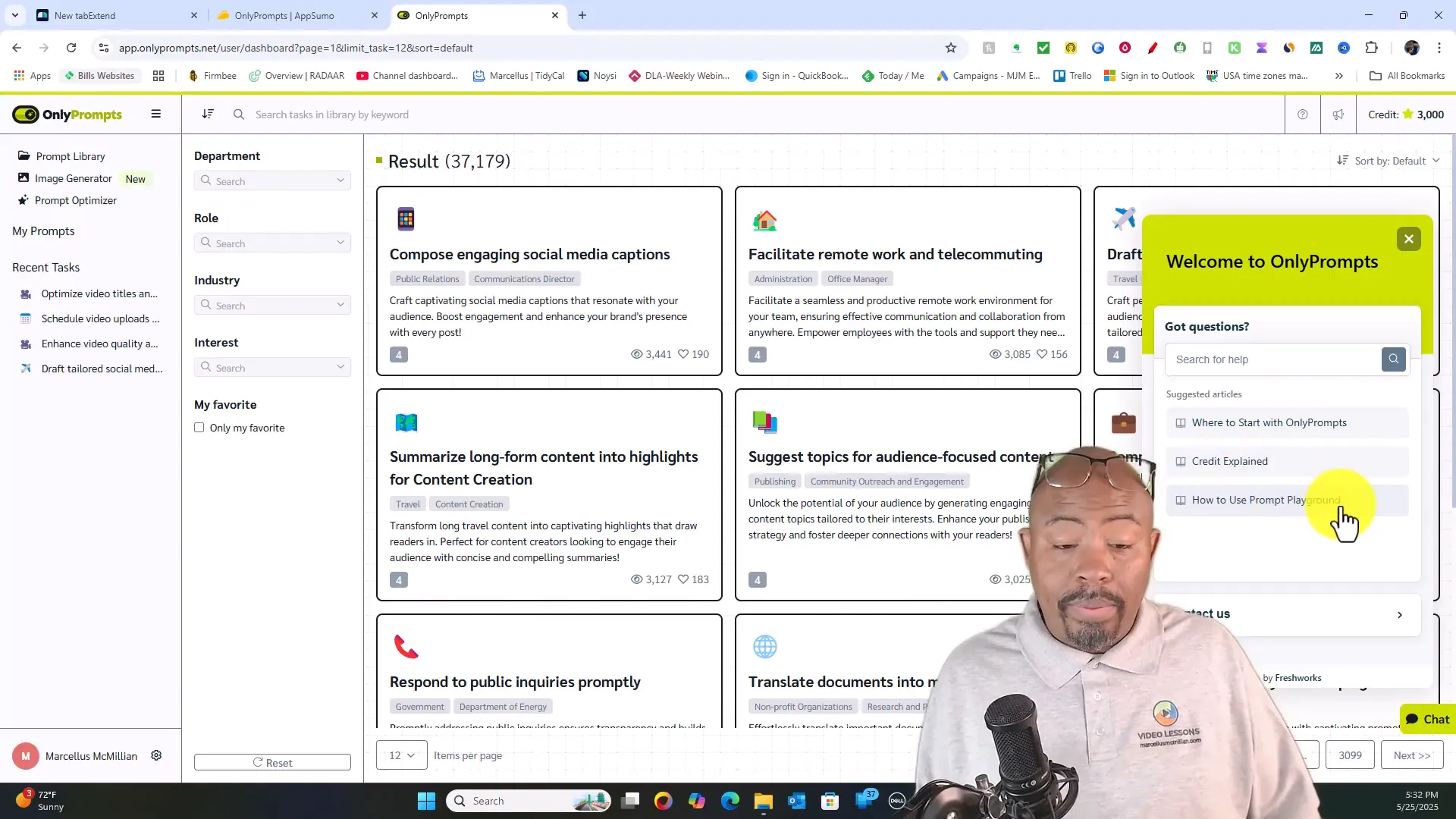
When you log into OnlyPrompts, you’ll immediately notice their extensive prompt library boasting over 150,000 prompts, organized by department and use case. The interface is clean and user-friendly, making it easy to browse or search for prompts relevant to your needs.
They also provide helpful onboarding resources like “Credits Explained” and tutorials on how to use their AI playground effectively.
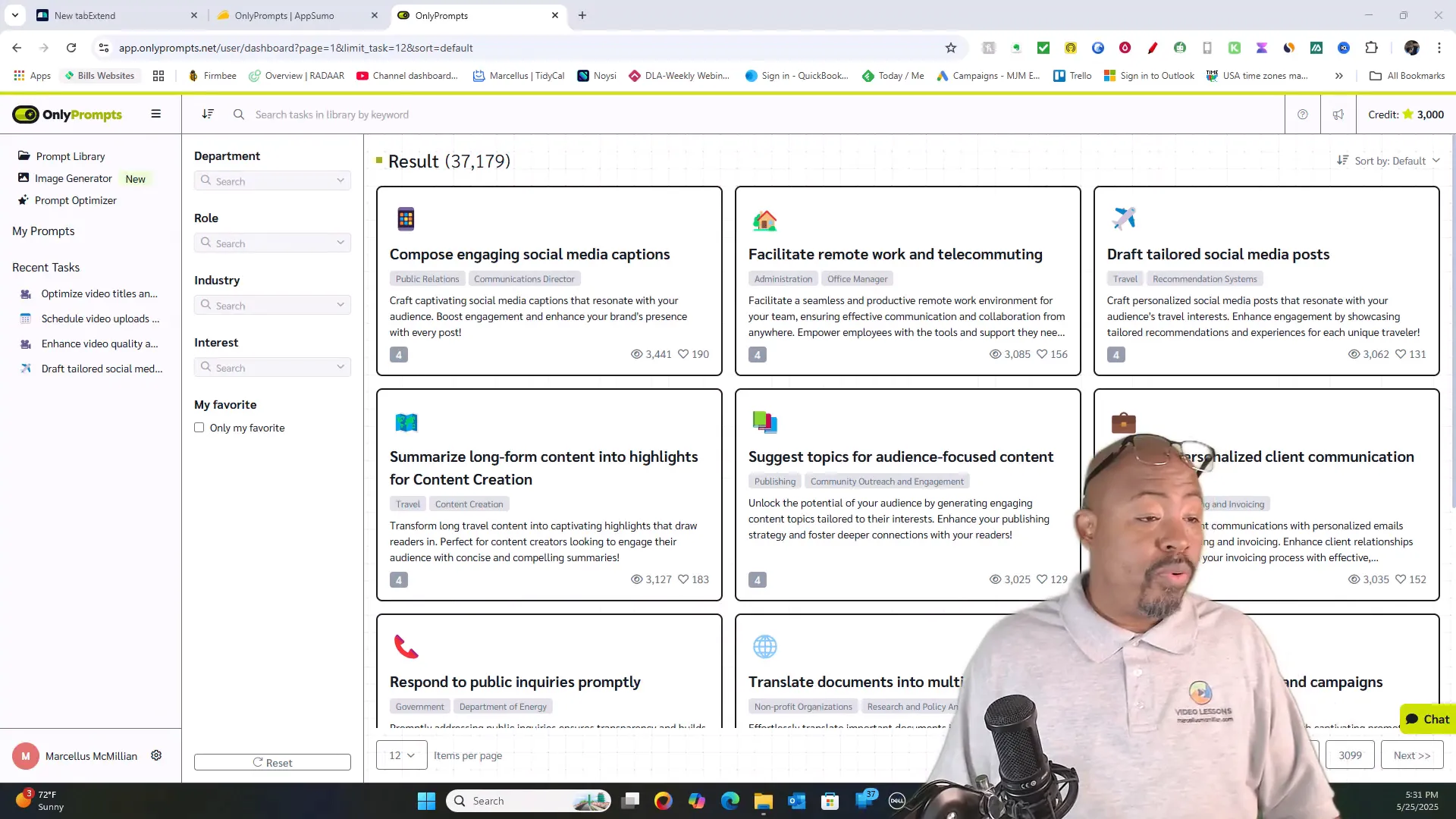
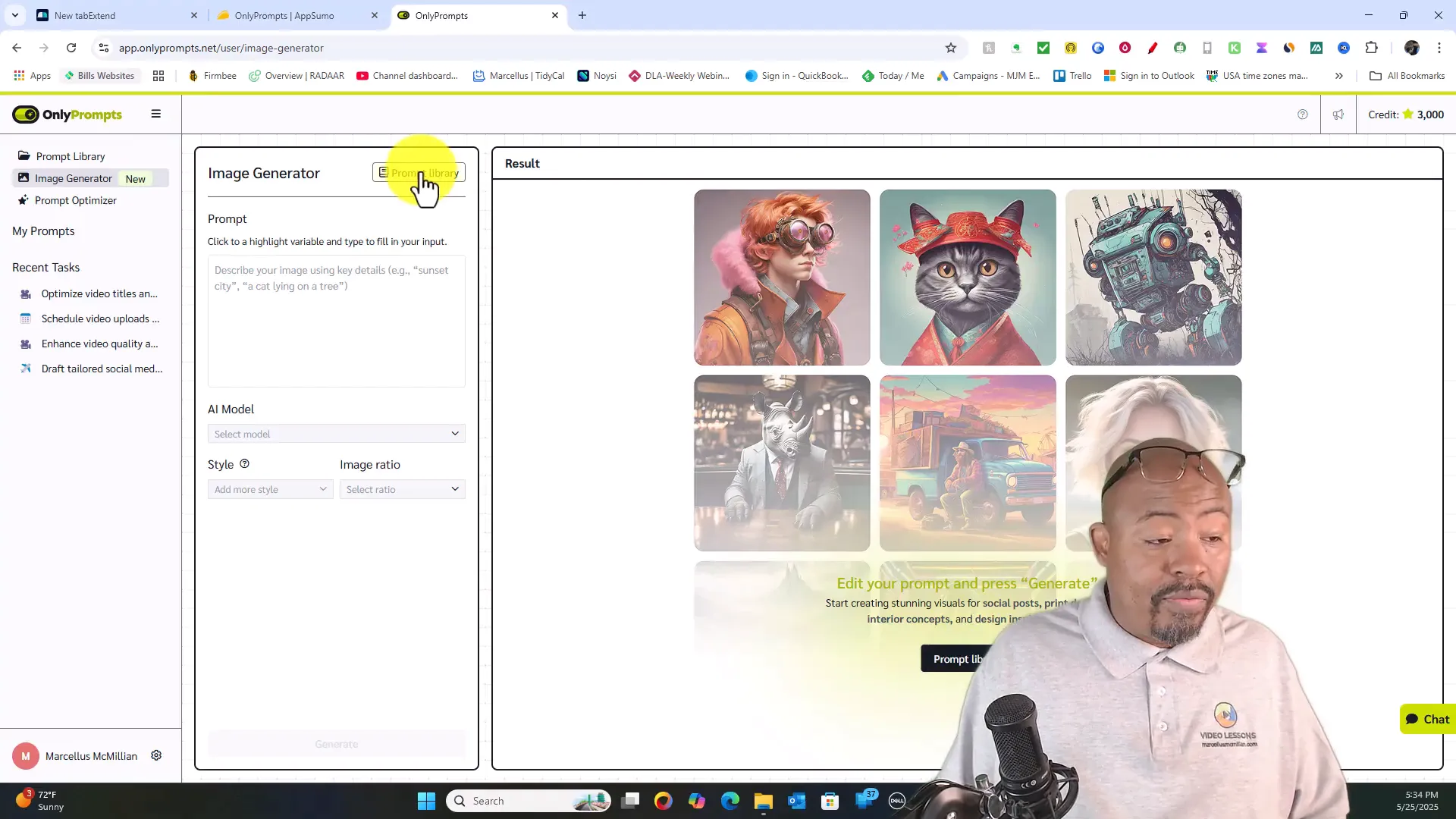
Image Generator Feature
OnlyPrompts recently introduced an image generator powered by DALL·E. You can choose from various rendering styles such as 2D, CGI, photography, pixel art, and more. Additionally, you can select themes like cyberpunk, space, fantasy, sci-fi, and horror to customize your images.
This is a great feature for creators who want to generate unique visuals for blogs, social media, or YouTube thumbnails without needing advanced graphic design skills.
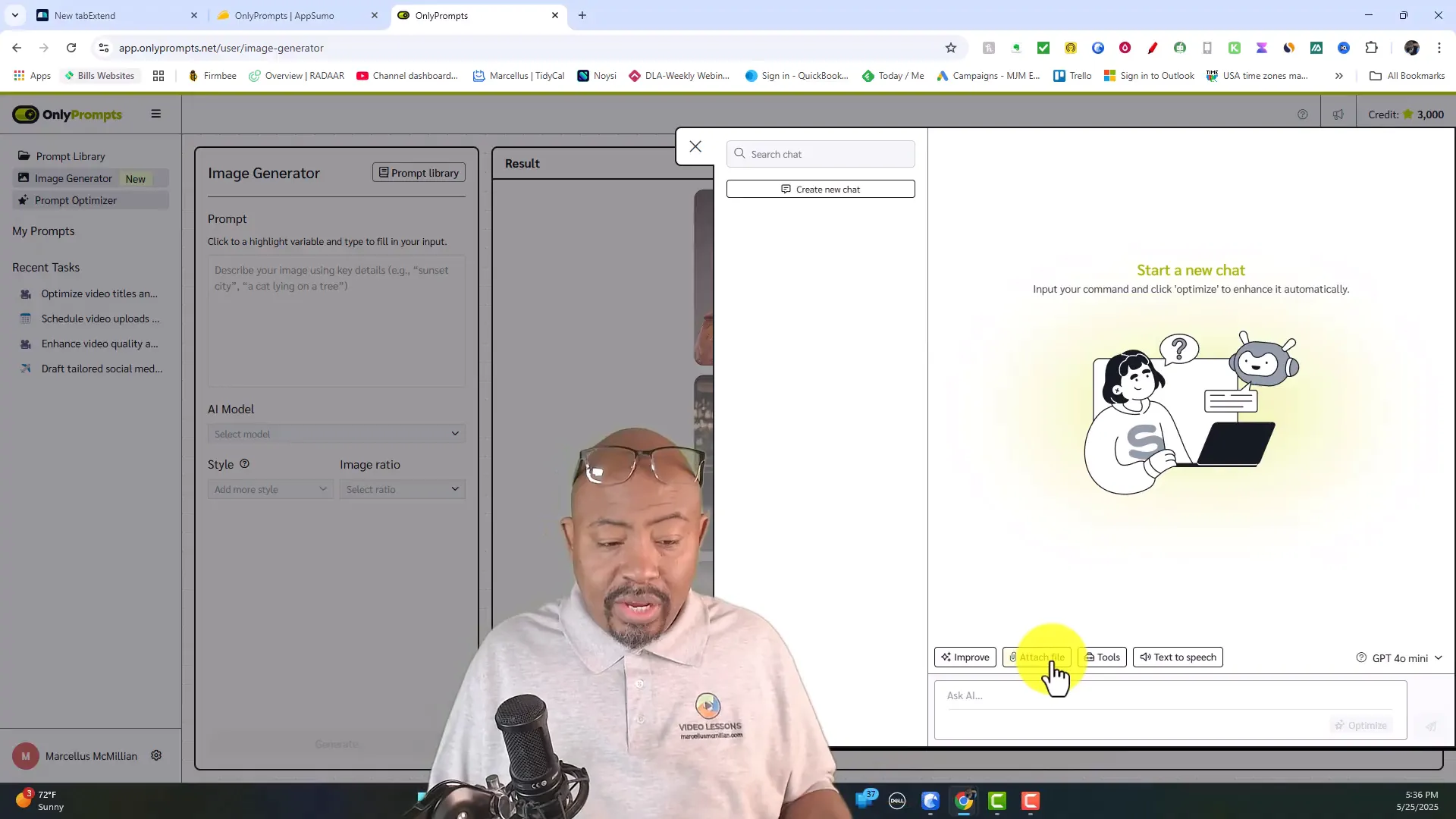
Prompt Optimizer & Model Switching
The prompt optimizer tool is a standout feature that lets you improve your prompts by attaching files and switching between AI models to see which delivers the best output. You can also track how many credits each model will consume before you submit your request.
This flexibility means you can experiment with different AI engines and optimize your prompt for the best results without wasting credits.
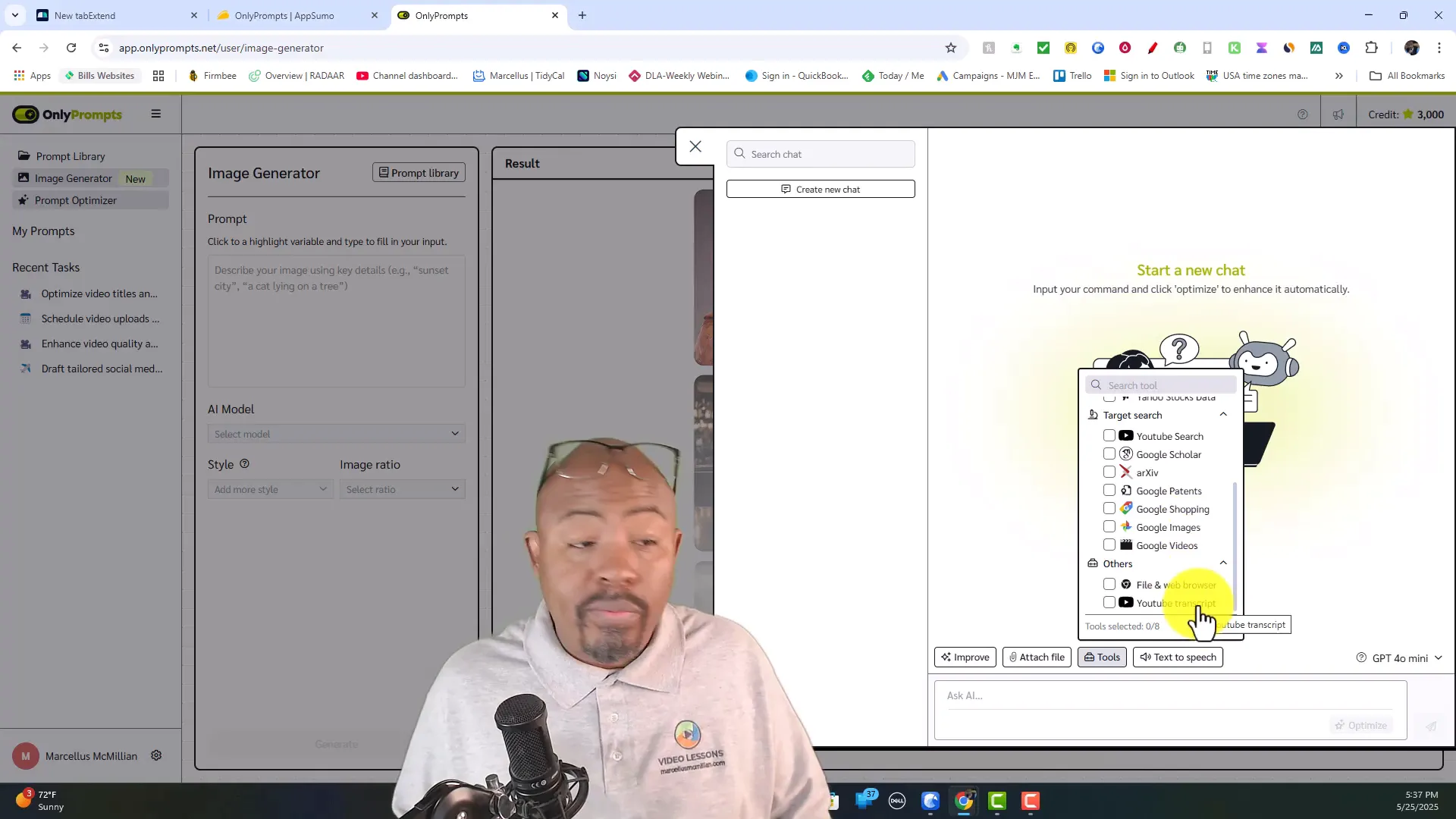
Additional Tools and Integrations
OnlyPrompts also integrates external data sources and tools such as Google Search, Wikipedia, Bing, Google News, YouTube Search, and financial data. This allows you to build complex prompts that pull real-time information for research, content creation, or marketing analysis.
Furthermore, the tool supports text-to-speech conversions and YouTube transcript processing, making it a versatile platform for multimedia content creators.
OnlyPrompts for YouTube Creators: Boost Your Workflow
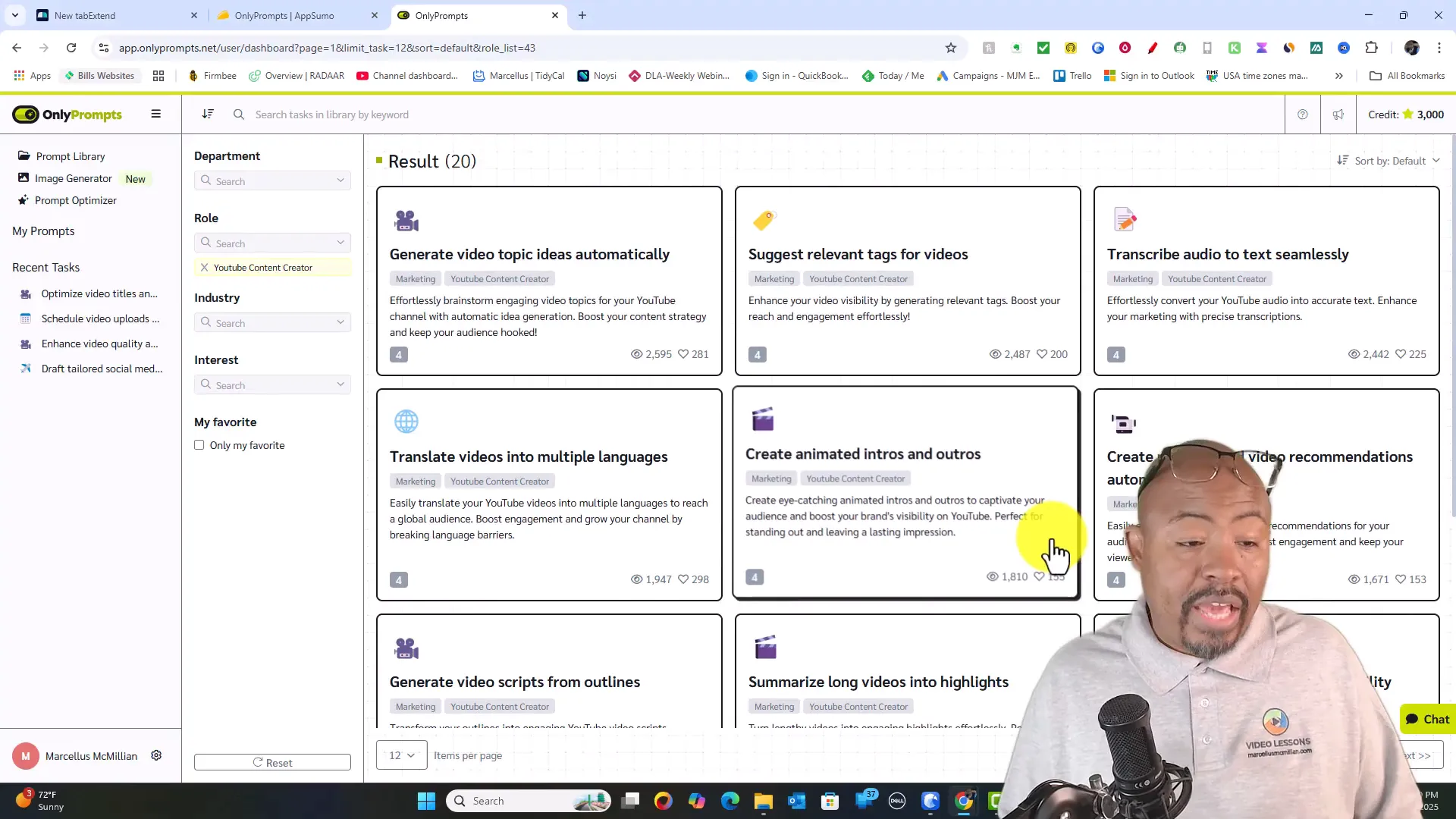
As a YouTuber, productivity and efficient content creation are key to growing your channel. OnlyPrompts shines in this area by offering a dedicated YouTube content creator section with prompts tailored to your workflow.
- Generate video topic ideas automatically
- Suggest relevant tags for your videos
- Transcribe audio to text seamlessly
- Translate videos into multiple languages
- Create automated intros and outros
- Generate personalized video recommendations
- Optimize video titles and descriptions for better visibility
This centralized approach to YouTube prompts can save creators hours of brainstorming and manual work, allowing you to focus more on producing quality content.
Optimizing YouTube Titles & Descriptions with AI
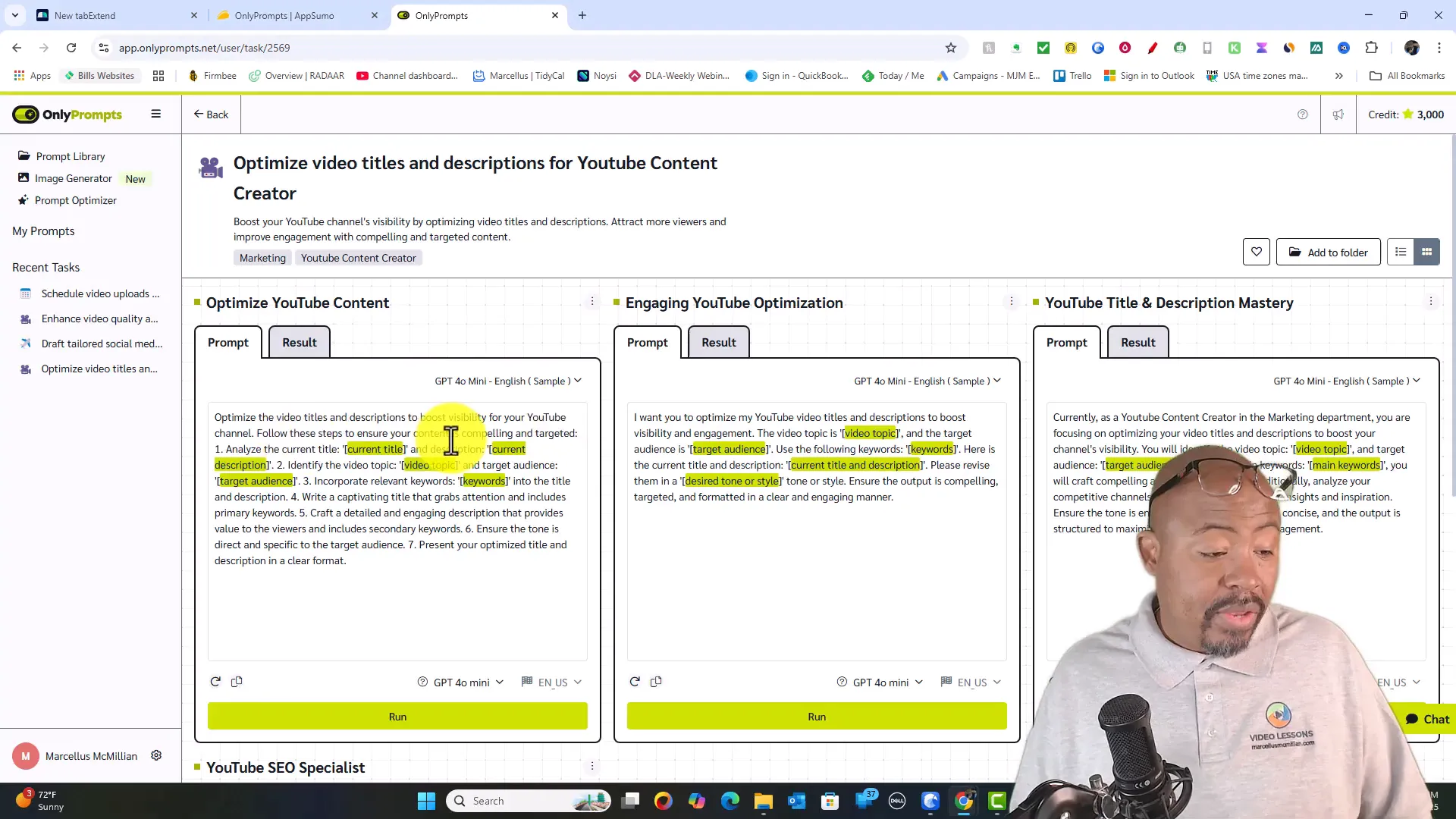
One of the most useful features for YouTubers is the ability to optimize video titles and descriptions using AI. You simply input your current title, description, video topic, target audience, and keywords, and the tool crafts optimized versions designed to boost visibility and engagement.
You can also analyze competitive channels for inspiration and adjust the tone or language of your output, giving you a powerful edge in content optimization.
Learning Curve and Best Practices for OnlyPrompts
Like any powerful software, OnlyPrompts requires some hands-on time to fully master. I recommend dedicating a day or so to explore the prompt library, test different AI models, and play with the prompt optimizer.
Buying extra credits for experimentation can be worthwhile if you’re on a limited plan. The more you experiment, the better you’ll understand how to craft prompts that generate exactly what you need.
If you want to deepen your AI prompting skills, I also suggest checking out our full Content Creation with AI course and the upcoming webinars where we dive into keyword research and productivity hacks.
OnlyPrompts Account Management and Upgrades
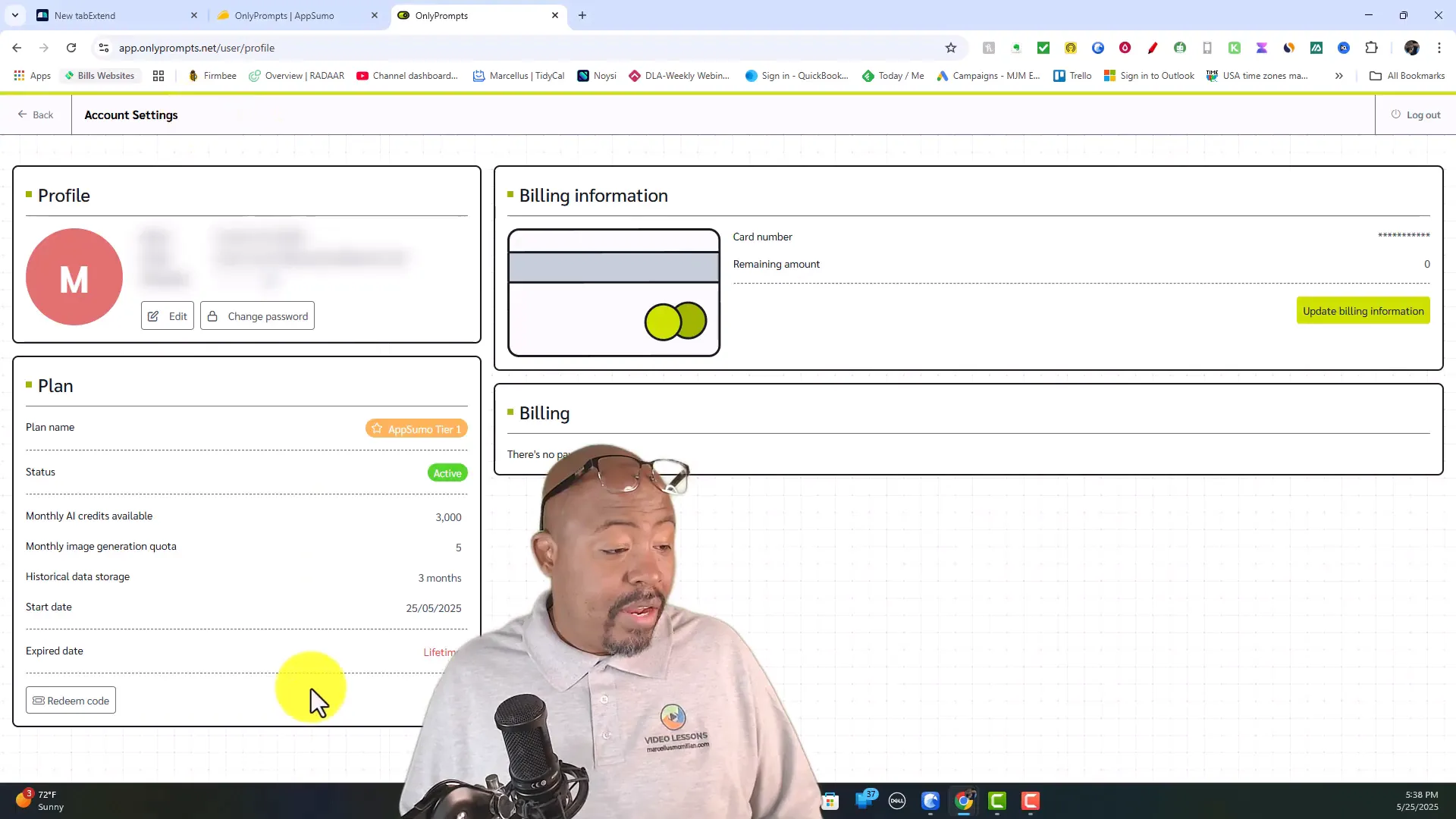
Managing your OnlyPrompts account is straightforward. You can view your tier plan, monitor credit usage, and update billing information to purchase additional credits if needed.
The unlimited plan eliminates the worry about credit limits, making it ideal for heavy users or teams that want unrestricted access to all AI models and features.
Who Should Use OnlyPrompts?
OnlyPrompts is an excellent tool for a wide range of users, including:
- YouTube Creators: Streamline video ideation, optimization, and transcription workflows.
- Digital Marketers: Automate content generation, SEO optimization, and marketing campaigns.
- Business Professionals: Access department-specific prompts for marketing, operations, HR, and more.
- Content Creators & Bloggers: Generate blog post ideas, improve writing, and create engaging visuals.
- Teams & Agencies: Collaborate with shared prompt libraries and unlimited usage plans.
If you’re looking to save time and improve your productivity with AI, OnlyPrompts is a tool worth considering. For YouTube creators, it’s especially valuable to integrate into your content creation workflow.
Pros and Cons of OnlyPrompts
Pros
- Massive prompt library with over 150,000 ready-made prompts
- Multi-AI model support including ChatGPT, Gemini, Claude, and DALL·E
- Flexible credit system with an unlimited usage tier
- New image generation feature with diverse styles and themes
- Dedicated YouTube content creator prompts to boost workflow
- Integrations with Google, YouTube, Wikipedia, and financial data sources
- Prompt optimizer with model switching and file attachment support
- Lifetime deal pricing on AppSumo with 60-day money-back guarantee
Cons
- Credit system may be confusing at first, requires learning curve
- File attachment limits in prompt optimizer are not clearly defined yet
- Image generation consumes a high number of credits unless on unlimited plan
- Some AI models are still in beta and may have inconsistent results
Final Verdict: Is OnlyPrompts Worth It?
After thoroughly exploring OnlyPrompts, I can confidently say it’s a robust AI productivity tool that can save you hours and help you work smarter, not harder. Its vast prompt library combined with multi-model AI support and useful features like image generation and YouTube-specific prompts make it a versatile solution for creators and businesses alike.
If you’re serious about boosting your content creation or business workflows in 2025, the lifetime deal on AppSumo is an excellent opportunity to get started without ongoing costs. I recommend starting with the mid or top tier plans to enjoy a generous credit allowance or unlimited usage for maximum flexibility.
To get started, check out the OnlyPrompts AppSumo deal today — it might just revolutionize how you interact with AI prompts forever.
Frequently Asked Questions (FAQ) About OnlyPrompts
What is OnlyPrompts?
OnlyPrompts is an AI prompt generator platform that offers over 150,000 ready-made prompts and supports multiple AI models like ChatGPT, Gemini, Claude, and DALL·E to help users create content faster and more efficiently.
How does the credit system work in OnlyPrompts?
Credits are consumed based on the AI model used and the complexity of the task. For example, simple tasks with Claude Basic use 1 credit, while image generation with DALL·E uses 30 credits. Unlimited plans remove credit limits.
Is OnlyPrompts suitable for YouTube creators?
Absolutely. OnlyPrompts has a dedicated YouTube content creator section with prompts for video topic ideas, tag suggestions, transcription, translation, intro/outro creation, and optimization of titles and descriptions.
Can I use OnlyPrompts for image generation?
Yes, OnlyPrompts includes an image generator powered by DALL·E with various rendering styles and themes, perfect for generating visuals for blogs, social media, and videos.
Where can I buy OnlyPrompts?
OnlyPrompts is available on AppSumo with a lifetime deal. Visit digitallearndeals.com/onlyprompts to learn more and purchase.
Does OnlyPrompts offer a money-back guarantee?
Yes, there is a 60-day money-back guarantee, so you can try the tool risk-free.
Are there tutorials or classes to learn how to use OnlyPrompts effectively?
Yes, I recommend checking out our Content Creation with AI course and upcoming webinars on keyword research and productivity, which complement the use of OnlyPrompts.
Related Resources from Video Geek Squad
- Content Creation with AI Course – Learn how to harness AI for content production
- Upcoming Webinars & Events – Join live sessions on keyword research and productivity hacks
- YouTube Productivity Hacks – Boost your YouTube workflow and content creation efficiency
- Review of YTubeBooster – Another powerful tool to enhance your YouTube channel growth
Written by marcellusmcmillian
Related View More
Replient AI Review — My In-depth Breakdown and Hands-On Experience
Replient AI Review — My In-depth Breakdown and Hands-On Experience